
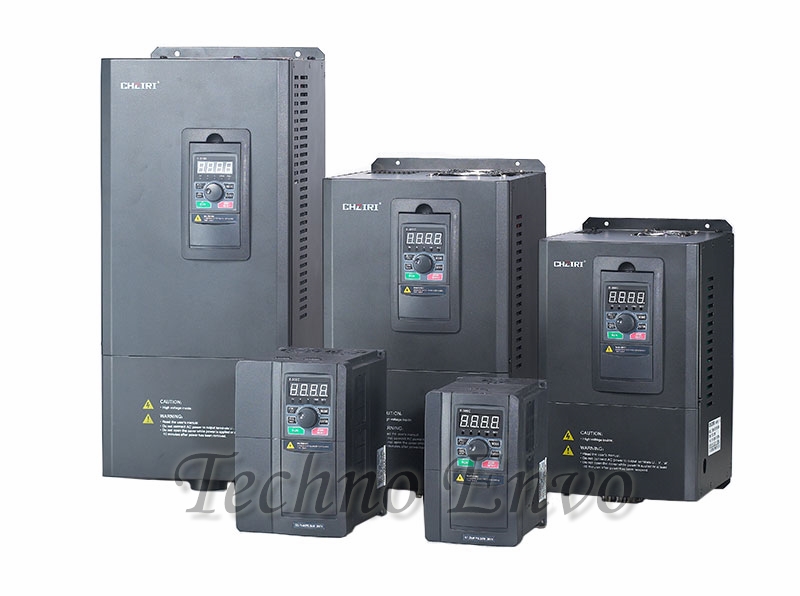
Understanding AC Inverters: Programming, Connecting, and Troubleshooting
In recent years, AC inverters have become a vital component in various applications, from residential air conditioning systems to industrial machinery. They enable efficient energy conversion, improving system performance and reducing energy consumption. This article explores the essentials of AC inverters, including how to program, connect, and troubleshoot them, making it a comprehensive resource for both beginners and experienced users.
What is an AC Inverter?
An AC inverter is an electronic device that converts direct current (DC) into alternating current (AC). This conversion is crucial for running AC appliances and machinery that require alternating current for operation. Inverters are commonly used in renewable energy systems, such as solar panels, to convert the generated DC electricity into usable AC power for homes and businesses.
Benefits of AC Inverters
- Energy Efficiency: Inverters optimize energy usage, reducing electricity bills and minimizing waste.
- Variable Speed Control: Inverters allow for variable speed operation of motors and compressors, improving comfort and performance.
- Soft Start Feature: Inverters reduce inrush current during startup, prolonging the lifespan of electrical components.
- Enhanced Performance: They help maintain stable voltage levels, which is vital for sensitive electronic equipment.
Programming Your AC Inverter
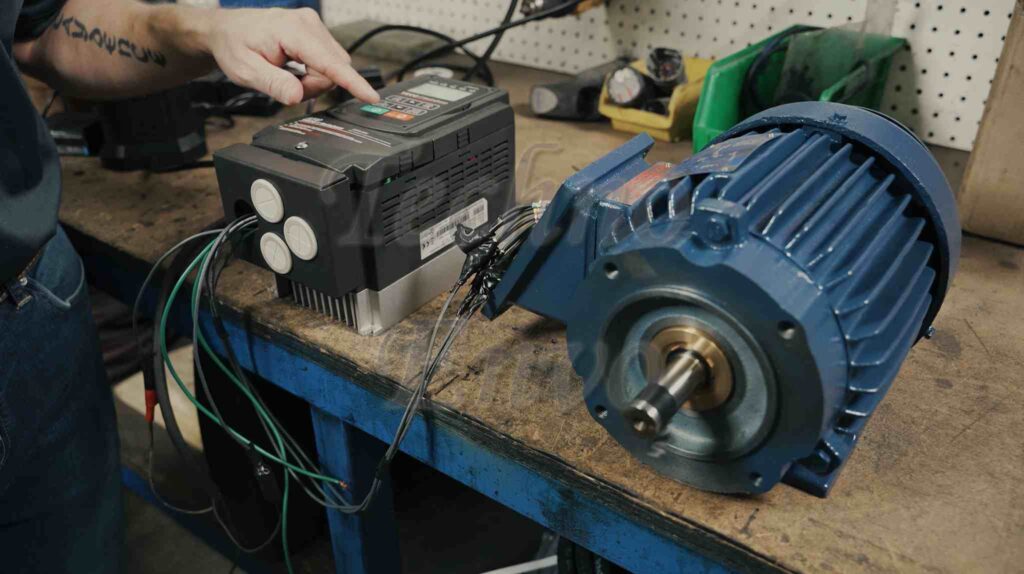
Programming your AC inverter ensures that it operates optimally for your specific application. Here’s a detailed guide on how to set parameters, along with an expanded explanation of each parameter.
Read the Manual:
Before starting, always refer to the user manual specific to your inverter model. Different models may have unique features and programming procedures.
Power On the Inverter:
Turn on the inverter and ensure all connections are secure. The display should light up, indicating that the inverter is ready for programming.
Access the Programming Menu:
-
- Use the navigation buttons on the inverter’s control panel to access the programming menu.
- You may need to enter a password or code if required by your inverter.
Set Parameters:
Here are the critical parameters you should consider setting during programming:
-
-
Output Voltage:
- Set the output voltage according to your application (e.g., 120V for North America or 230V for Europe).
- This ensures that the inverter matches the voltage requirements of the connected load.
-
Frequency Settings:
- Set the operating frequency, which is typically 50Hz or 60Hz.
- Adjusting this parameter is essential for applications where the speed of motors is influenced by frequency.
-
Motor Speed Control:
- If the inverter controls a variable speed motor, set the minimum and maximum speed limits.
- This allows the inverter to provide the required torque and efficiency for the connected motor.
-
Acceleration and Deceleration Times:
- Adjust the time it takes for the inverter to ramp up to maximum speed and back down to a stop.
- This is crucial for preventing mechanical stress on connected equipment.
-
Protection Settings:
- Configure over-voltage, under-voltage, and over-temperature settings to safeguard the inverter and connected devices.
- These settings help prevent damage during abnormal conditions.
-
Fault Reset and Recovery:
- Determine how the inverter should respond to faults, including automatic restart options and fault recovery time.
- Set parameters that dictate how the system should react in the event of a failure.
-
Communication Settings (if applicable):
- If your inverter is part of a networked system, set communication parameters, such as baud rate and protocol.
- This is essential for integration with building management systems or other automation solutions.
-
Save Settings:
After adjusting the parameters, ensure you save the changes. Most inverters have a specific button to confirm and save settings.
Test the Settings:
After programming, run a test to ensure everything operates as intended. Check for any error codes or unusual behaviors.
Connecting Your AC Inverter
Properly connecting your AC inverter is crucial for safety and performance. Here’s how to do it, along with a simple and detailed wiring diagram for clarity:
- Gather Necessary Tools and Materials:
- AC inverter
- Power source (e.g., batteries, solar panels)
- Appropriate cables (ensure they are rated for your inverter’s voltage and current)
- Screwdrivers
- Electrical tape
- Identify Connection Points:
- Locate the DC input terminals and AC output terminals on your inverter. These are usually clearly labeled.
- Connect the DC Source:
- Positive Connection: Connect the positive lead from your DC source to the positive terminal of the inverter.
- Negative Connection: Connect the negative lead to the negative terminal. Ensure all connections are secure and insulated to prevent short circuits.
- Connect the AC Load:
- Load Connection: Connect the AC load (such as an appliance or motor) to the inverter’s AC output terminals. Follow the manufacturer’s guidelines for wiring and connection. Make sure to observe the correct polarity (live and neutral).
- Double-Check Connections:
- Before powering on the inverter, double-check all connections to ensure there are no loose wires or incorrect polarity.
- Power On the Inverter:
- Turn on the inverter and monitor the operation. Ensure the display indicates normal operation without any errors.
AC Inverters Troubleshooting Common Issues
Even with proper installation and programming, issues can arise with AC inverters. Here are common problems and solutions:
- Inverter Does Not Power On:
- Check Power Source: Ensure the DC power source is functioning and correctly connected.
- Inspect Fuses: Check for blown fuses in the inverter or power source and replace them if necessary.
- Error Codes Displayed:
- Consult the Manual: Refer to the user manual for specific error codes and their meanings.
- Reset the Inverter: Sometimes, resetting the inverter can clear minor faults.
- Unstable Output Voltage:
- Inspect Connections: Check for loose or corroded connections that could affect performance.
- Verify Load Requirements: Ensure the connected load does not exceed the inverter’s capacity.
- Overheating Issues:
- Ensure Proper Ventilation: Make sure the inverter is installed in a well-ventilated area to prevent overheating.
- Check for Blockages: Remove any obstructions from the cooling vents to allow for proper airflow.
- Inconsistent Performance:
- Review Settings: Double-check that all programming parameters are correctly set according to your application.
- Inspect the Load: Ensure that the connected load is within the specified limits for the inverter and matches its capabilities.
Conclusion
AC inverters are indispensable for efficient energy management in various applications. By understanding how to program, connect, and troubleshoot your inverter, you can enhance its performance and ensure reliable operation. Regular inspections and maintenance can further prolong its lifespan and efficiency.
FAQ
Q1: Can I use any AC inverter for my appliances?
A: No, you must select an inverter that matches the voltage and power requirements of your appliances. Always refer to the specifications of your devices.
Q2: How do I know if my inverter is working properly?
A: A properly functioning inverter will display normal operational readings without error codes. You can also monitor the output voltage with a multimeter.
Q3: What should I do if my inverter keeps shutting off?
A: This may indicate an overload or overheating issue. Check the connected load and ensure it does not exceed the inverter’s capacity. Ensure proper ventilation.
Q4: Are AC inverters safe to use?
A: Yes, when installed and used correctly, AC inverters are safe. Always follow safety guidelines and manufacturer instructions.
Q5: How often should I check my inverter?
A: It’s a good practice to inspect your inverter at least once a year, or more frequently if used in harsh conditions or critical applications.
By following the guidelines outlined in this article, you can confidently manage your AC inverter, ensuring optimal performance and efficiency in your energy systems.

Pingback: AC Inverters: How They Work and Where They’re Used - technoenvio.com